For Arma 2 DayZ Epoch communities

The control room for your DayZ Epoch community

A web panel and a Discord bot that run the busy side of your server: live maps, bases and decay, an economy, scripts and support. Hosted for you, backed up every night.

Start your community
DayZ Epoch 1.0.7.1Arma 2: Operation ArrowheadChernarusChernarus WinterNamalskDiscordWorks on phones

Features

Everything your staff reaches for, in one place

Built over years of running a real DayZ Epoch server, for the admins who keep one going.

Live map

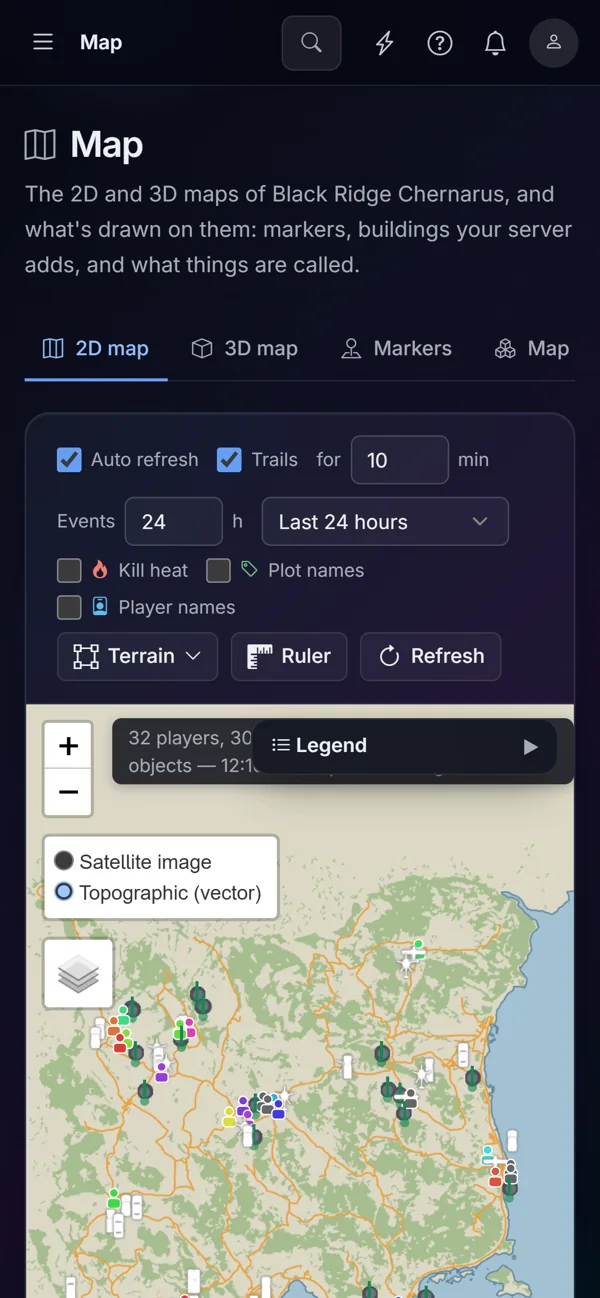
See your world as it is

Players, vehicles and bases on a real map of Chernarus or Namalsk, refreshed while you watch.

  • Trails, kill heat and plot names
  • A 3D flyover built from the game's own terrain
  • Right-click a spot or a player to teleport, drop a care package or run a script
blackridge.survivepanel.com

Dashboard and alerts

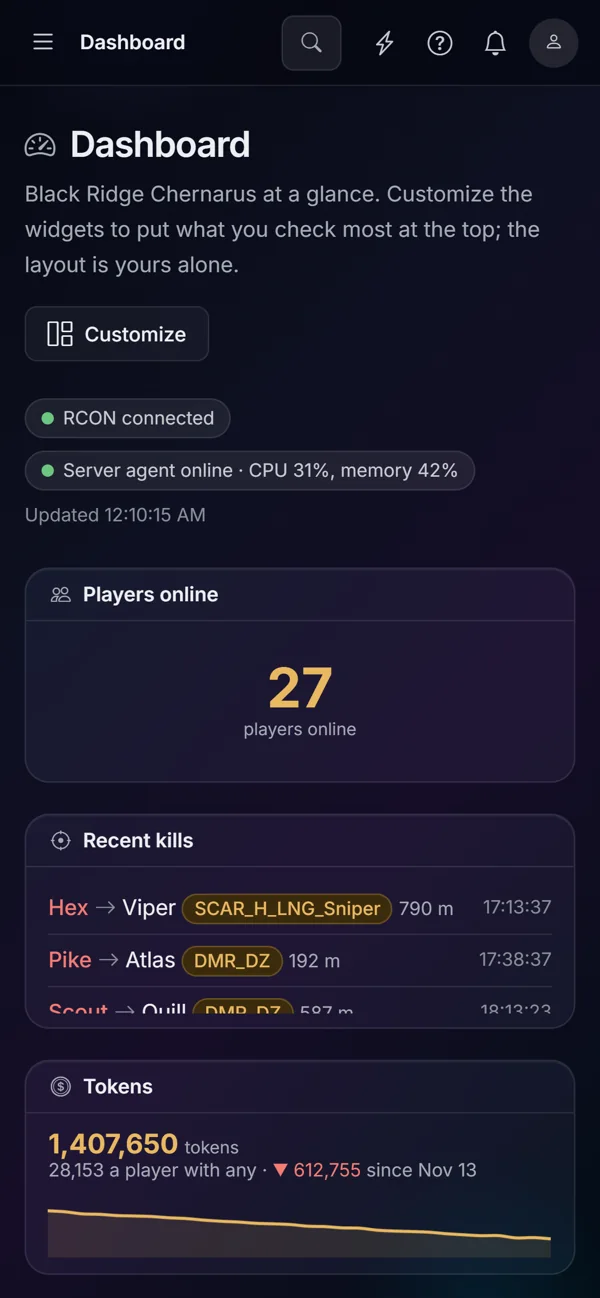
Know before your players tell you

Who is online, what they are saying, what just died, and how the machine is holding up, on one screen.

  • Alerts in the panel, by Discord DM or by email, as each admin prefers
  • Told when a restart runs long, a base starts decaying or a write to the game fails
  • A widget layout each admin arranges for themselves
blackridge.survivepanel.com

Bases and decay

No base lost to decay by surprise

Every plot, who may use it, its damage and when it was last maintained.

  • Maintain any plot for free as an admin, or let players pay in tokens
  • Recover a decayed base: nothing is deleted, it comes back at the restart
  • Owners get a warning before their plot decays
blackridge.survivepanel.com

Economy

An economy your players can see

Tokens, a shop that delivers by care package, a bank, trader prices and leaderboards of who is worth what.

  • Kits, vehicles and building supplies delivered in game
  • Value history for every player and the whole server
  • Challenges, bounties and refunds with a paper trail
blackridge.survivepanel.com

SQF scripts

Run code on the live server from your browser

Write a script once, keep it in the library with variables to fill in, and run it now or on a schedule.

  • Pick a player or a spot on the map and the script gets it
  • A shared library of ready-made scripts to start from
  • Every run logged, with highlighted code you can read
blackridge.survivepanel.com

Player portal

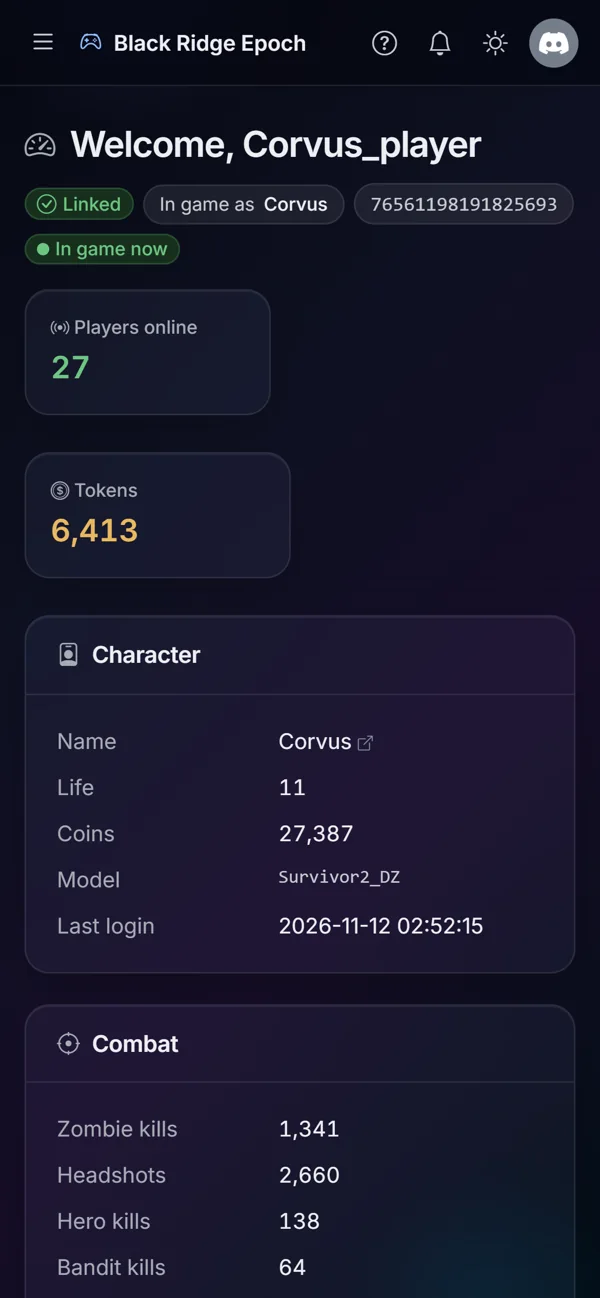
A portal your players will use

Players sign in with Discord and see their character, stats, plots, garage and tokens.

  • Maintain their own plots, shop, and open tickets
  • Refund requests that staff approve with one click
  • Their own notifications, on the web or in Discord
blackridge.survivepanel.com

Logs and staff

Find what happened, fast

Game logs, the server's RPT, BattlEye and an audit trail of every admin action, all searchable.

  • Roles for owners, admins, moderators and support, each with its own permissions
  • Custom roles from a catalog of permissions
  • Discord commands follow the same roles as the panel
blackridge.survivepanel.com

The full tour

Everything, in under 5 minutes

A narrated walk through a demo community, with captions. Start at the top or jump to the part you care about.

Discord

A Discord bot that knows your game

Players link their game account from Discord or with a code typed in game chat, and the bot keeps their roles in step with the game.

  • Linking with /link or !link in game chat
  • Roles for linked players, tiers and leaderboard leaders
  • Tickets, the shop, bounties and raid alerts
  • Status channels and restart warnings

Hosted

We run it, you run your server

Each community on its own

A separate database and login per community, and its own encryption key for secrets.

Backed up every night

Encrypted backups, with copies kept off the machine.

Updates included

New features and fixes arrive without you lifting a finger.

Problems reach a person

The hosting team is alerted when your bot or panel has trouble.

Works on your phone

Every page fits a small screen, from the map to the logs.

Talk to the host

Ask for help from your own Settings page and read the answers there.

Getting started

Up and running in an evening

  1. 1

    Tell us about your server

    The game server's address, a MySQL login for the panel and the RCON details. The setup guide walks through each.

  2. 2

    Install the server agent

    A small Windows program on your game machine that streams the logs and runs scripts. One download, one command.

  3. 3

    Invite the bot

    Pick your channels and roles, or let the bot make them. Players start linking right away.

What's next

DayZ Epoch first. More to come.

We start with DayZ Epoch on Arma 2. More maps and mods are on the way, and after that more games.

More maps and mods

Beyond Chernarus and Namalsk, and more of the mods Epoch servers run.

DayZ Standalone

The same panel and bot for DayZ servers.

Arma 3 and Arma Reforger

Then the newer Arma games.

Arma 4

When it comes out.

Pricing

Simple plans

Every plan includes the panel, the bot, the maps and nightly backups.

Scout

One server, everything to run it.

$9/month

  • 1 game server
  • Web panel and Discord bot
  • Live 2D and 3D maps
  • Nightly backups
Choose Scout

Battalion

Networks of servers.

$39/month

  • Up to 10 game servers
  • Everything in Squad
  • Your own domain
  • API and webhooks
Choose Battalion

Prices in US dollars. Cancel whenever you like.

FAQ

Questions, answered

Do I need to host anything?

Only the game server you already run, plus the small server agent on the same machine. The panel, the bot and the database are hosted for you.

Which games and maps?

DayZ Epoch 1.0.7.1 on Arma 2: Operation Arrowhead, on Chernarus, Chernarus Winter and Namalsk, to start. More maps and mods are on the way, and after that more games: DayZ Standalone, Arma 3, Arma Reforger and Arma 4 when it comes out.

Does it work with my mission and mods?

The panel reads the stock Epoch database and the server's logs. A few features, such as care-package deliveries and quest tracking, need small additions to your server files, and the guides show what to add.

Can I turn off what I don't use?

Yes. Features switch on or off for each game server, and you can add your own with webhooks, the API, custom commands, custom pages and add-ons.

Is my data safe?

Each community has its own database login and encryption key, backups run every night and are copied off the machine, and you can export your data whenever you like.

Can my staff have different permissions?

Yes. Owners, admins, moderators and support each get their own set of permissions, you can make your own roles, and Discord commands follow the same roles.

Bring your community to SurvivePanel

Tell us about your server and we will have your panel and bot running, usually the same day.

Start your community